
Quick Tip: When moving questions from your Word document into the discussion board, sometimes formatting will not match your document. We recommend pasting the content as plain text from your document into the board, as not all formatting in your document is carried over into the Board if you are finding constant issues with the copy.
To paste as plain text, right-click into the text area and choose 'Paste as Plain Text' or 'Paste and Match Formatting' as the option of the list that appears (this varies depending on the operating system you use). Pasting in this way, will remove any of the formatting if you are finding extra spaces and indentations that should not be there.
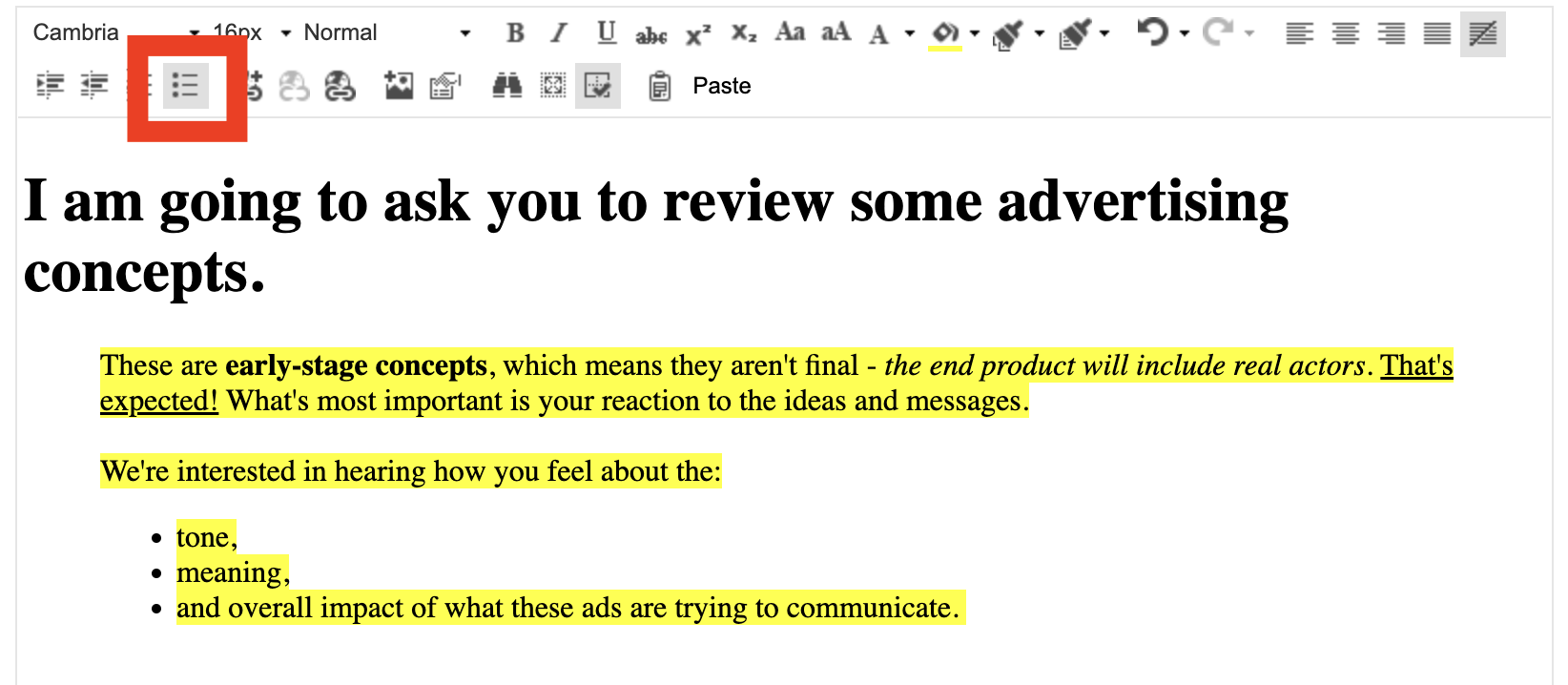
Once the question is in the text area, you can do additional formatting using the area outlined in the image below.
This toolbar provides numerous options for formatting. Below are the most commonly used options.
Quick Links for this next section
Increasing font type and font size
Creating Headings
Bolding, Underlining, and Italicizing Text
Changing Text and Background Colour
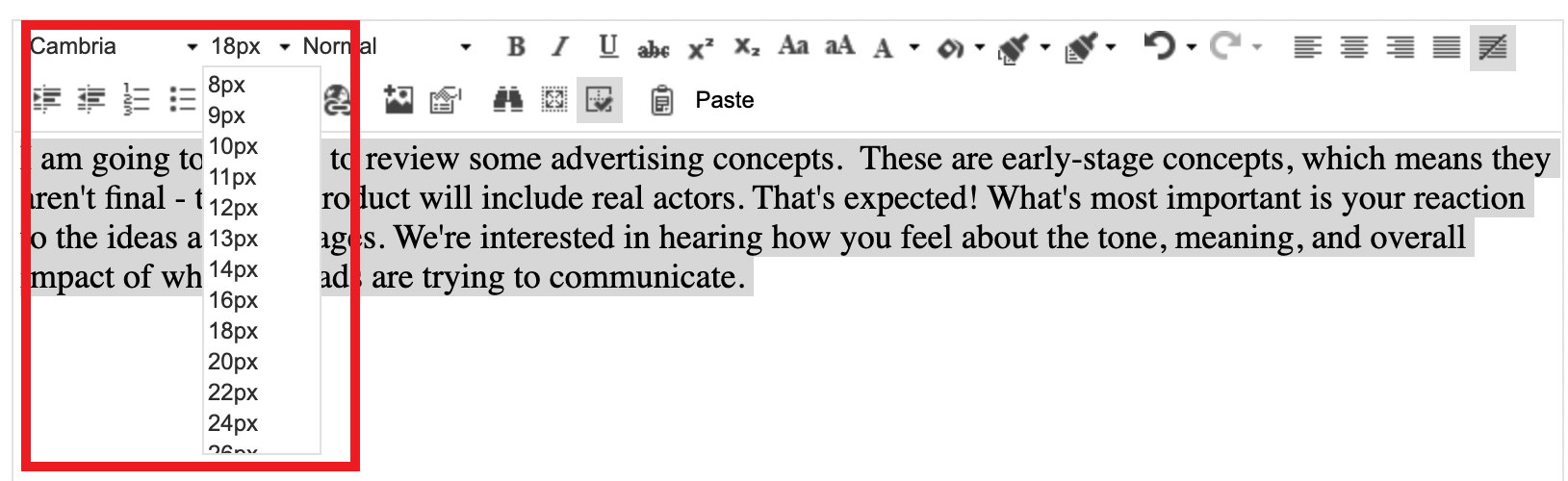
Increasing font type and font size
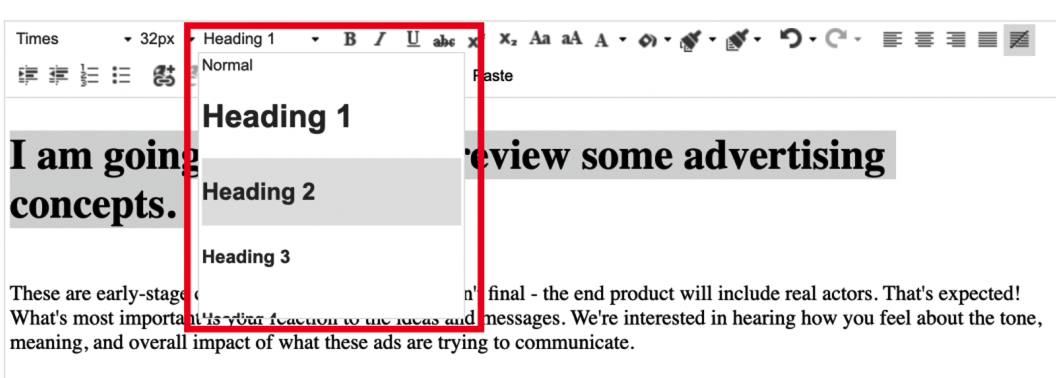
Creating Headings
Bolding, Underlining, and Italicizing Text
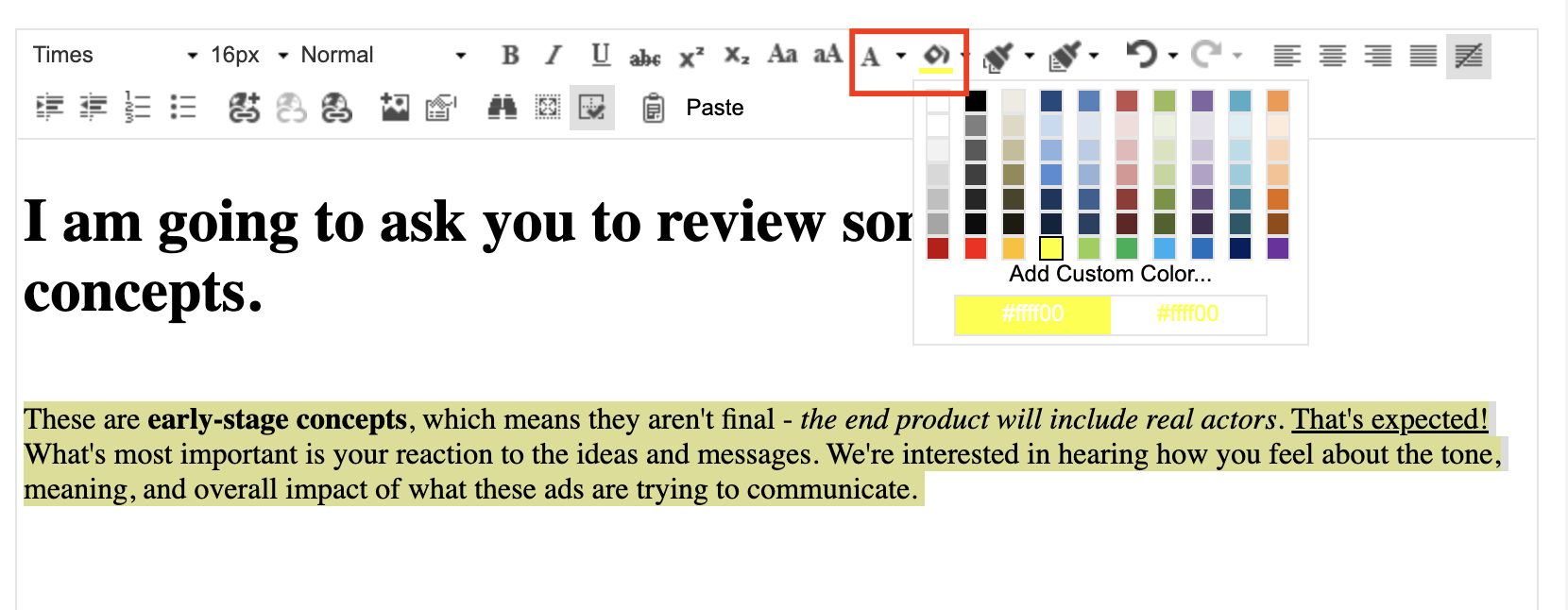
Changing Text and Background Colour
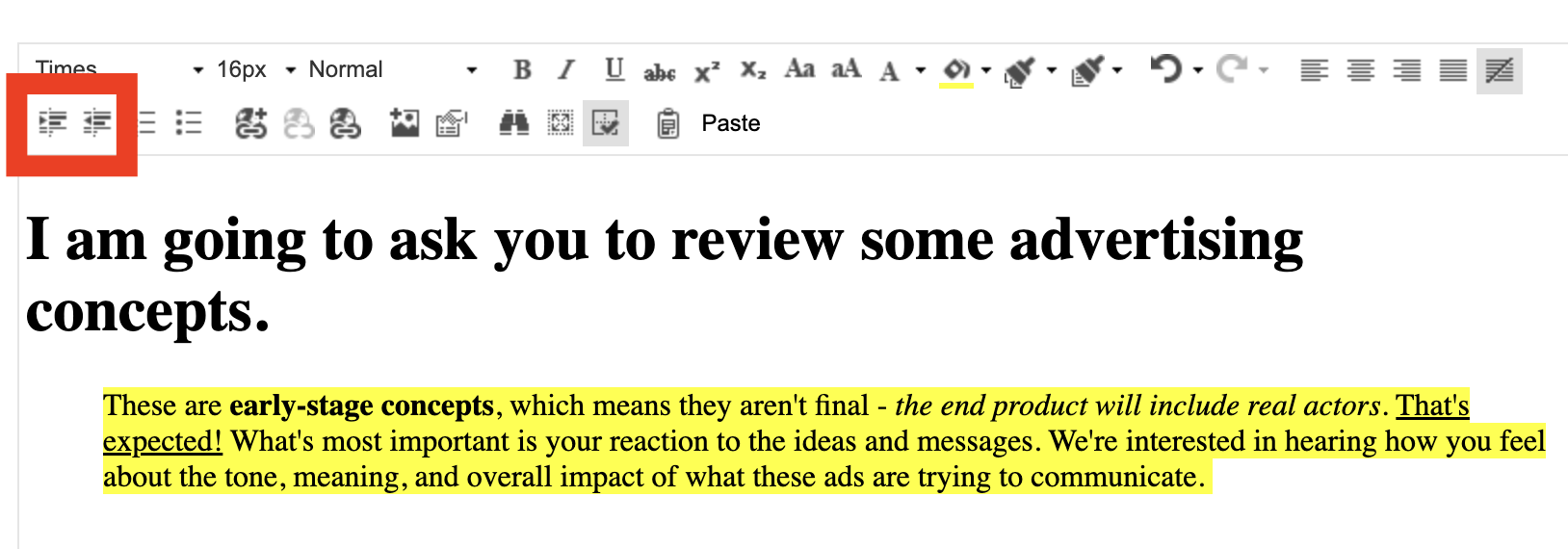
Indentation
Bullets and Numbering
For more information, check out the articles on setting up your discussion guide, managing links and media in your discussion board, and question settings.
Comments
0 comments
Please sign in to leave a comment.