
This functionality is available to use when you would like people to move directly from a screening survey into a discussion board. The steps below will enable you to create a URL to give to your survey programmers. The survey programmers will then incorporate this URL into the screening survey as a redirect after a participant qualifies.
Activating Survey Integration
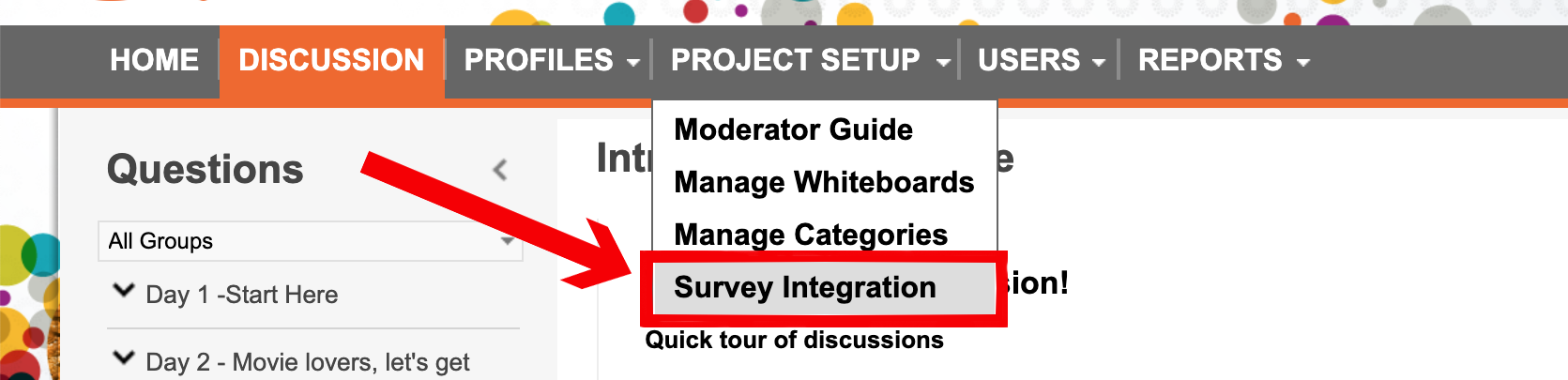
In order to set this up, you will need to be in the board as a project manager or higher. Under the Project Setup tab there is an area called Survey Integration. Choose this option.
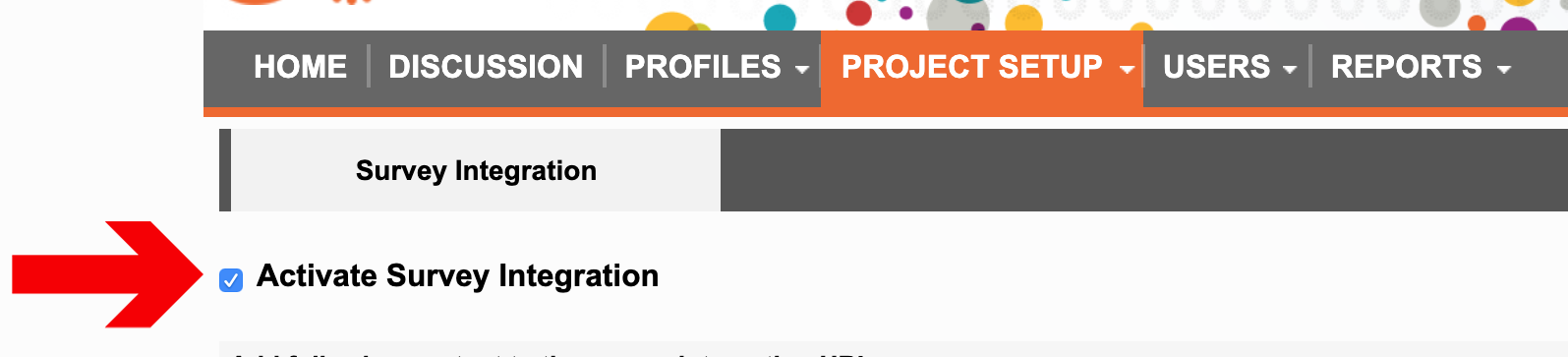
Once in the Survey Integration area check the checkbox to Activate Survey Integration.
Creating an Integration URL
Activating the survey integration by clicking the option above will change the page and give you a Survey Integration URL that you can then send to your programming team. See the screen shot below.
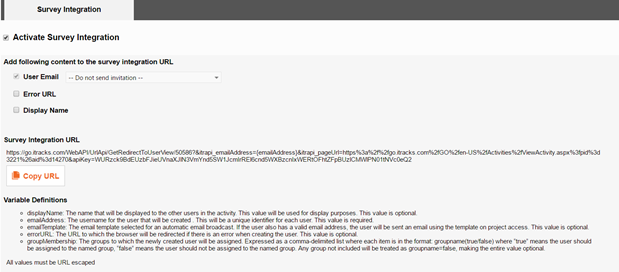
When this page is activated you will also have the opportunity to add in options to the URL to have certain actions performed as people register in the itracks platform or to aid in the programming of the survey. All the options below will adjust your URL so your programming team has the variables they need to pipe in details from the survey into the URL.
You will notice that each URL will have a field for email address. The email address is required to set someone up in the itracks software. This will need to be collected in your survey and then passed through the URL. This is to assist with set up on our side but also to ensure that you have some information to match back to your screener. All other items listed below are options.
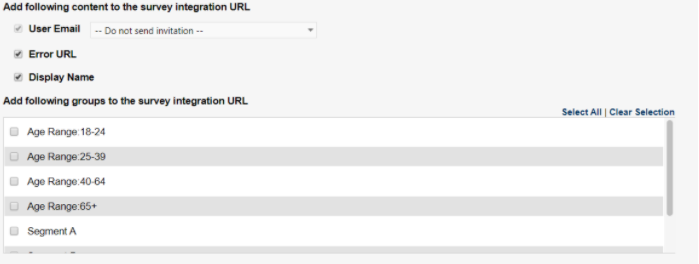
User Email
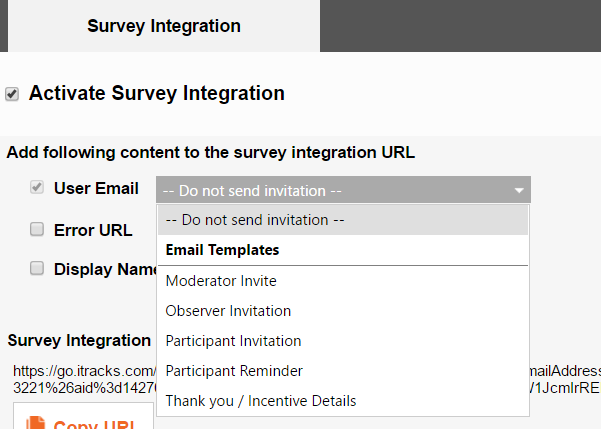
The User Email option allows you to automatically send any email to your participants upon registering for the board after they complete your screener. A drop down menu will allow you to choose which email template you wish to use. All the templates in your project will be available for you to use here.
Error URL
The Error URL is the URL to which the browser will be redirected if there is an error when creating the user. This value is optional.
Display Name
If you are capturing Display Name from your survey tool then select this as an option. If this is not selected the default naming convention of Participant 1, Participant 2, etc. will be used.
Groups
If you have groups set up in your discussion board you can also populate these groups right from the screener. Groups will need to be set up in advance of this step. To select which groups you want to bring in from the screening survey select them in the list appearing on the survey integration page. Note there is a Select All link here as well.
Variables
Variables do not need to be manually added to the URL. The system is set up to allow you to select the variables and automatically update the Survey Integration URL when you choose the above options. The survey programmers will then program things in the survey tool replace the variables you see in the link. This is a common practice from a programming standpoint and most survey tools have URL variable options like this as part of their functionality.
So for example in the case where you need the email address to pipe in from your survey the programmers would collect the email address in the survey and then pipe it back through the URL where the variable is indicated below.
https://bbfg.itracks.com/WebAPI/UrlApi/GetRedirectToUserView/37030?itrapi_username={username}&itrapi_emailAddress={emailAddress}&itrapi_errorURL={errorURL}&itrapi_pageUrl=https://bbfg.itracks.com/BBFG4/Pages/View/View.aspx&apiKey=Q29FZExzbmc5dXRJWE83cTJlWVYyYVkxaHdlZW4zN0VJN0RGUFNwYjBaSEpqWXZrQkt3ZUFvVmIrODkzMjNpYQ2
In the case of groups survey programmers will need to program the screening survey to update the URL with the values of True or False for each group based off of the survey logic where “true” means the user should be assigned to the named group, “false” means the user should not be assigned to the named group. Any group not included will be treated as groupname=false, making the entire value optional.
https://bbfg.itracks.com/WebAPI/UrlApi/GetRedirectToUserView/37030?itrapi_username={username}&itrapi_emailAddress={emailAddress}&itrapi_groupMembership=Purchasers(False),Non-Purchasers(True),Stay+at+home+mom(True),60-75(False),50-60(True)&itrapi_errorURL={errorURL}&itrapi_pageUrl=https://bbfg.itracks.com/BBFG4/Pages/View/View.aspx&apiKey=Q29FZExzbmc5dXRJWE83cTJlWVYyYVkxaHdlZW4zN0VJN0RGUFNwYjBaSEpqWXZrQkt3ZUFvVmIrODkzMjNpYQ2
Comments
0 comments
Please sign in to leave a comment.