
By default, whoever loads or imports the questions into the discussion board will have their name as the name associated to the questions in the discussion. Here is how to adjust this so it is the person asking the questions (the study moderator) appearing as the person asking questions.
For example, the question below was set up by a tech support user and as such will by default appear with the tech support person's name as the person who is asking the question.
In order to change this to the moderator's name instead, go to the Settings tab.

Once you have opened the settings, click Discussion from the left hand menu. Here you can change who has posted the questions from selecting from the Post Questions From drop down.
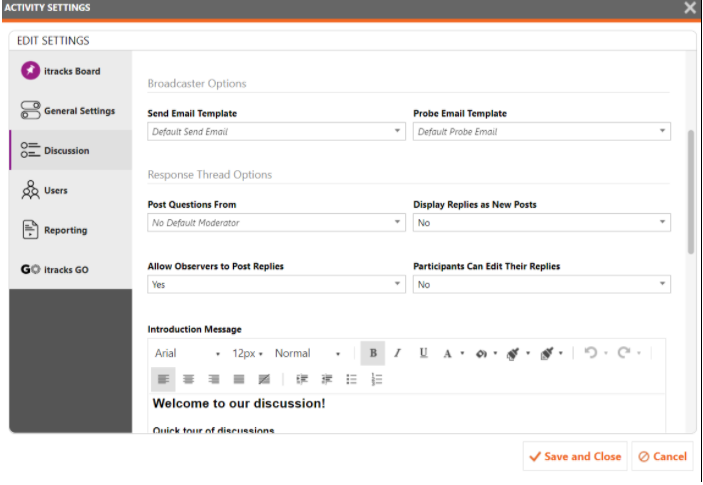
Make your selection then Save or Save & Close when done.
In the above scenario, we chose one of the moderator's from the list and clicked save. Questions then appeared to be posted by the selected user.

Comments
0 comments
Please sign in to leave a comment.